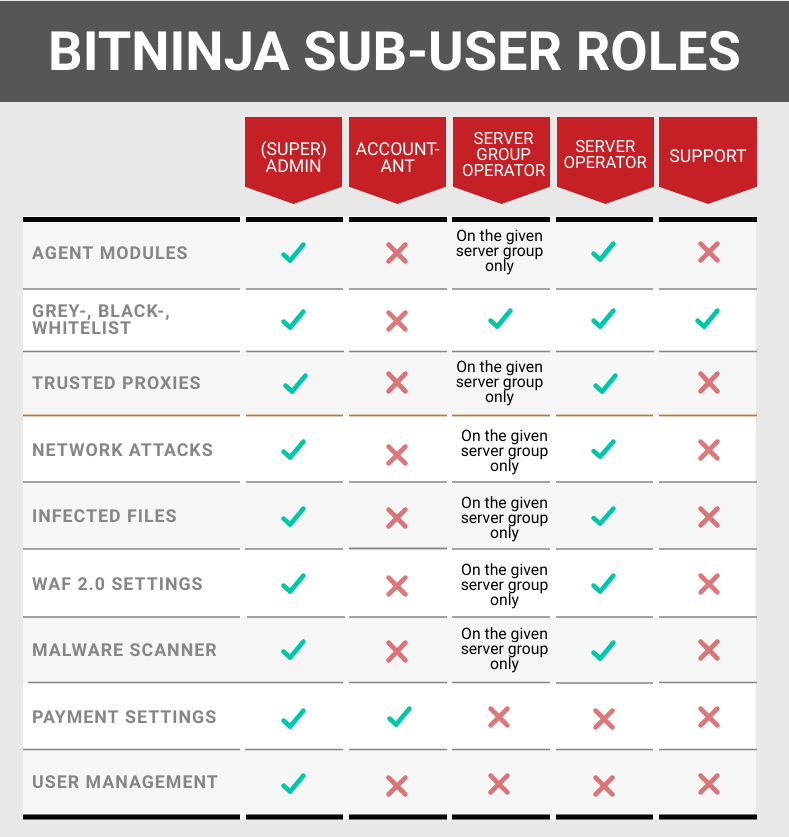

Not everyone uses the BitNinja Dashboard for the same reasons when doing their work. We know that. Which is why we have different sub-user roles built into our Dashboard.
Set up user roles#
- Click on the small ninja icon at top of the Dashboard and choose the User Management menu point
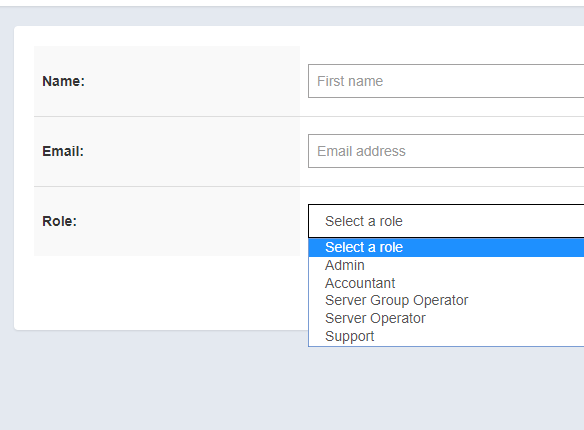
- Enter the first name of your sub-user
- Enter an email address. This needs to be an email address that is not registered already
- Select the role of the new sub-user
- Click the “Create User” button
After that is done, there will be an email sent out to the given email address with a confirmation link. Your employee will be able to set up a password to the account by clicking the link in the email.
You can choose from these roles:#
Permission of the roles#